
📞 Tel:+86-750-3857665
Email:sales@enpowertec.com
Email:sales@enpowertec.com
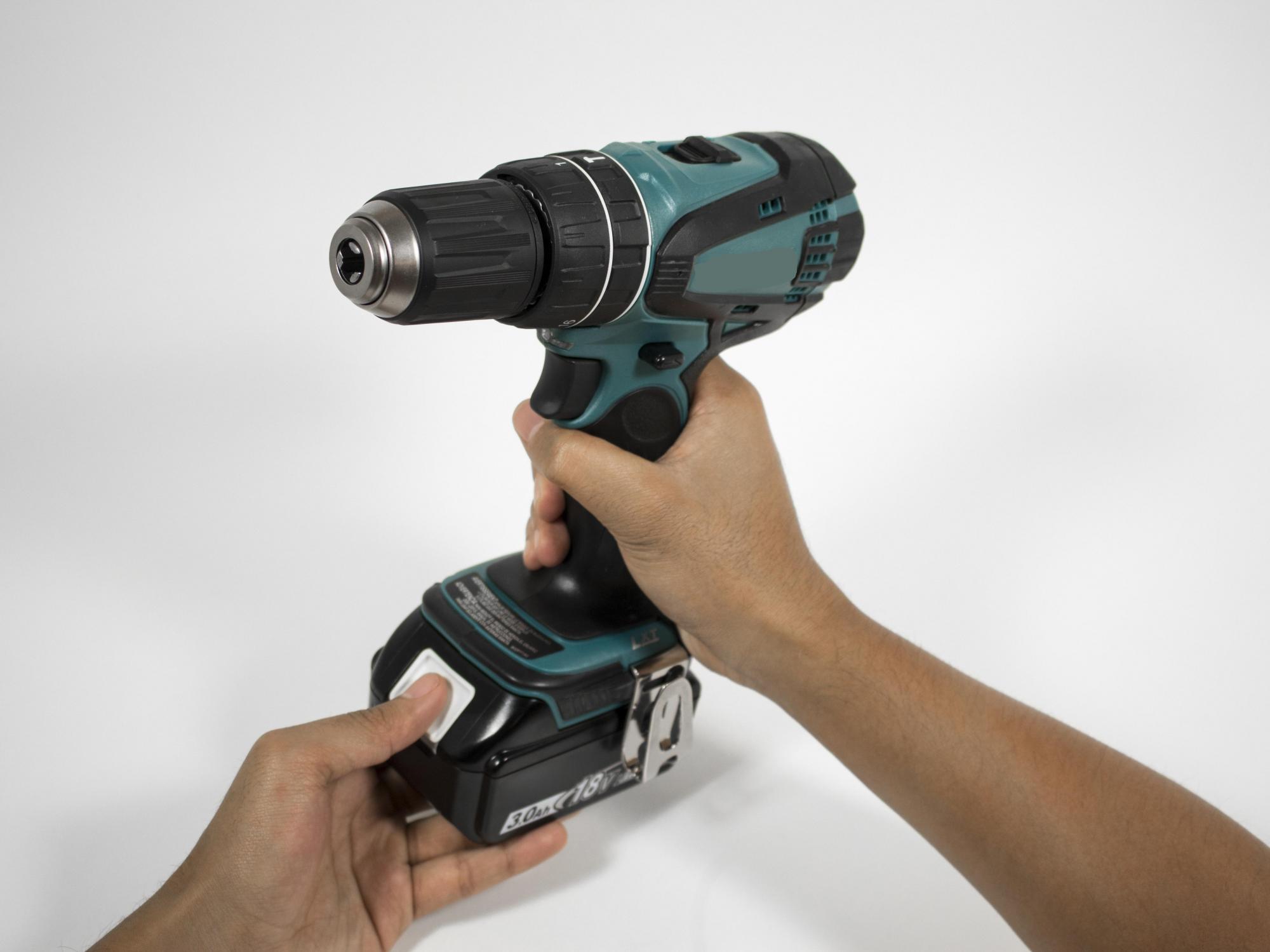
Makita cordless power tools are widely used in construction, woodworking, maintenance, and industrial applications. However, like all rechargeable batteries, the battery pack may gradually lose capacity and performance after repeated charging and discharging.
If your Makita power tool no longer runs as long as it used to, takes longer to charge, or stops working unexpectedly, it may be time to replace the battery.
The Makita 1420 battery is an older 14.4V battery model. Finding the correct replacement is important to ensure proper fit, electrical compatibility, and reliable operation.
In this guide, we will explain how to replace a Makita 1420 battery, how to identify a compatible replacement, and what to consider when purchasing a new power tool battery. For an overview of the packs we supply, see our Power Tool Batteries range.
Before replacing your battery, it is important to understand its specifications.
The original Makita 1420 is a 14.4V Ni-Cd battery pack designed for compatible Makita cordless power tools.
Here are its basic specifications:
| Specification | Details |
|---|---|
| Battery Model | Makita 1420 |
| Nominal Voltage | 14.4V |
| Battery Chemistry | Ni-Cd |
| Original Capacity | 1.3Ah |
| Battery Type | Rechargeable battery pack |
| Application | Cordless power tools |
| Replacement Options | Compatible Ni-Cd or approved Ni-MH alternatives |
The Makita 1420 belongs to an older generation of cordless battery systems.
When searching for a replacement, you may also encounter battery models such as 1422, 1433, 1434, and 1435. Although these models share certain compatibility characteristics, always verify the voltage, battery housing, terminal configuration, and tool model before purchasing.
How do you know when your Makita battery has reached the end of its service life?
Here are some common warning signs:
If your cordless drill or other power tool runs for only a few minutes after a full charge, the battery cells may have lost significant capacity.
An aging battery may discharge quickly even when the tool is not being used.
If the charger cannot complete the charging process or repeatedly indicates a charging problem, the battery may be damaged or incompatible with the charger.
If your power tool suddenly stops during normal operation, the battery may be unable to provide sufficient voltage or current under load.
Cracks, leakage, corrosion, swelling, or unusual heat are signs that the battery should be removed from service.
Replacing an external Makita 1420 battery pack is generally straightforward and does not require opening the battery housing.
Follow these steps:
Before removing the battery, switch off the power tool and ensure that the motor has completely stopped.
Place the tool on a stable surface.
Locate the battery release button or locking mechanism.
Press the release button and carefully slide the battery pack out of the tool.
Do not force the battery if it does not release easily. Check the tool instruction manual for the correct removal procedure.
Check the battery compartment and electrical contacts.
Look for:
If the terminals are damaged or corroded, have the tool inspected before installing another battery.
Before installing a new battery, compare it with the original battery.
Check the following specifications:
Make sure the replacement battery is specifically designed for your power tool.
Align the replacement battery with the battery compartment.
Slide it into the tool until the locking mechanism engages.
You should hear or feel a click when the battery is properly installed.
Do not force the battery into the compartment.
Use a charger specifically approved for the replacement battery chemistry and model.
For a new battery, follow the manufacturer's initial charging instructions.
After charging:
Finding a replacement battery is not simply about choosing the same voltage.
You should consider several important factors.
The replacement battery must match the original tool's required voltage.
For the Makita 1420, the nominal voltage is 14.4V.
Do not install an 18V or other incompatible battery simply because the connector appears similar.
Battery capacity is measured in ampere-hours (Ah).
Higher capacity generally means longer operating time under comparable conditions.
For example:
| Capacity | Expected Runtime |
|---|---|
| 1.3Ah | Standard original capacity |
| 1.5Ah | Slightly longer potential runtime |
| 2.0Ah | Longer potential runtime |
| 3.0Ah | Extended potential runtime |
The original Makita 1420 uses Ni-Cd technology.
Some compatible replacement options may use Ni-MH chemistry, but you must verify that the tool and charger support the alternative chemistry.
A higher-capacity replacement should never be selected without checking charging compatibility.
Battery dimensions and terminal configuration are essential.
Even when two batteries have the same voltage, differences in housing dimensions, contact positions, or locking structures may prevent proper installation.
Many users want to replace an older battery with a higher-capacity alternative.
In some cases, this is possible.
For example, a compatible 14.4V Ni-MH battery may offer higher capacity than the original 1.3Ah Ni-Cd battery.
Potential advantages include:
However, battery chemistry and charger compatibility must be verified before upgrading.
Not automatically.
A lithium-ion battery pack requires an appropriate cell configuration, battery management system, charging parameters, and compatible electrical interface.
The original Ni-Cd charger should not be assumed to support lithium-ion batteries.
Sometimes a replacement battery may not work as expected.
Here are some common problems and possible causes:
| Problem | Possible Cause | Recommended Action |
|---|---|---|
| Battery does not fit | Different housing design | Check battery dimensions and model |
| Tool does not start | Poor terminal contact or incompatible battery | Verify electrical compatibility |
| Charger does not recognize battery | Charger or chemistry incompatibility | Use an approved charger |
| Short runtime | Low capacity or poor cell condition | Check battery specifications |
| Battery overheats | Abnormal charging or discharging | Stop using and inspect the battery |
A replacement power tool battery must do more than fit the equipment.
Battery cell quality, electrical design, protection systems, and manufacturing consistency all influence product performance.
For battery distributors, power tool manufacturers, and industrial equipment suppliers, choosing a reliable battery manufacturer is especially important.
At Enpower Technology, we focus on rechargeable battery pack manufacturing and customized battery solutions. Our battery manufacturing capabilities include:
We support different battery pack requirements for power tools, industrial equipment, communication devices, and other applications.
Whether you are looking for replacement battery packs or customized OEM/ODM battery solutions, our team can help evaluate your requirements.
The original Makita 1420 is a 14.4V rechargeable Ni-Cd battery pack.
These models belong to the same 14.4V battery family, but their capacities and part numbers differ. Check the battery housing, terminals, and tool compatibility before purchasing.
A higher-capacity replacement may be available. However, you should confirm the battery chemistry, charging compatibility, physical dimensions, and electrical specifications.
Not as a direct replacement unless the lithium-ion battery system is specifically engineered and approved for the tool. The charger and battery management system must also be compatible.
Check the original battery model number, voltage, chemistry, and power tool model. Compare these details with the replacement battery specifications before ordering.
If the battery has significantly degraded cells or visible damage, replacing the complete battery pack with a compatible product is generally the safer option. Do not disassemble the battery cartridge yourself.
Replacing a Makita 1420 battery can help restore the operating time and usability of an older cordless power tool.
Before purchasing a replacement, always check the original battery specifications, voltage, chemistry, charger compatibility, and physical design.
Choosing a properly engineered replacement battery is essential for reliable operation and long-term performance.
Visit our website: https://www.enpowertec.com/
Contact our team for OEM/ODM battery manufacturing and customized battery solutions.

Enpower integrates R&D, production and quality testing in-house, supporting custom battery solutions for worldwide buyers.